

Appearance
Setting custom titles and descriptions for each marketplace
Crosslist lets you set different titles and descriptions per marketplace, so you can tailor your listings to each platform's audience, requirements, and character limits.
By default, Crosslist uses the same title and description across all marketplaces.
However, you can override these individually without changing your original listing.
Adjust titles and descriptions per marketplace
To set different titles or descriptions per marketplace, open the detail page of a listing.
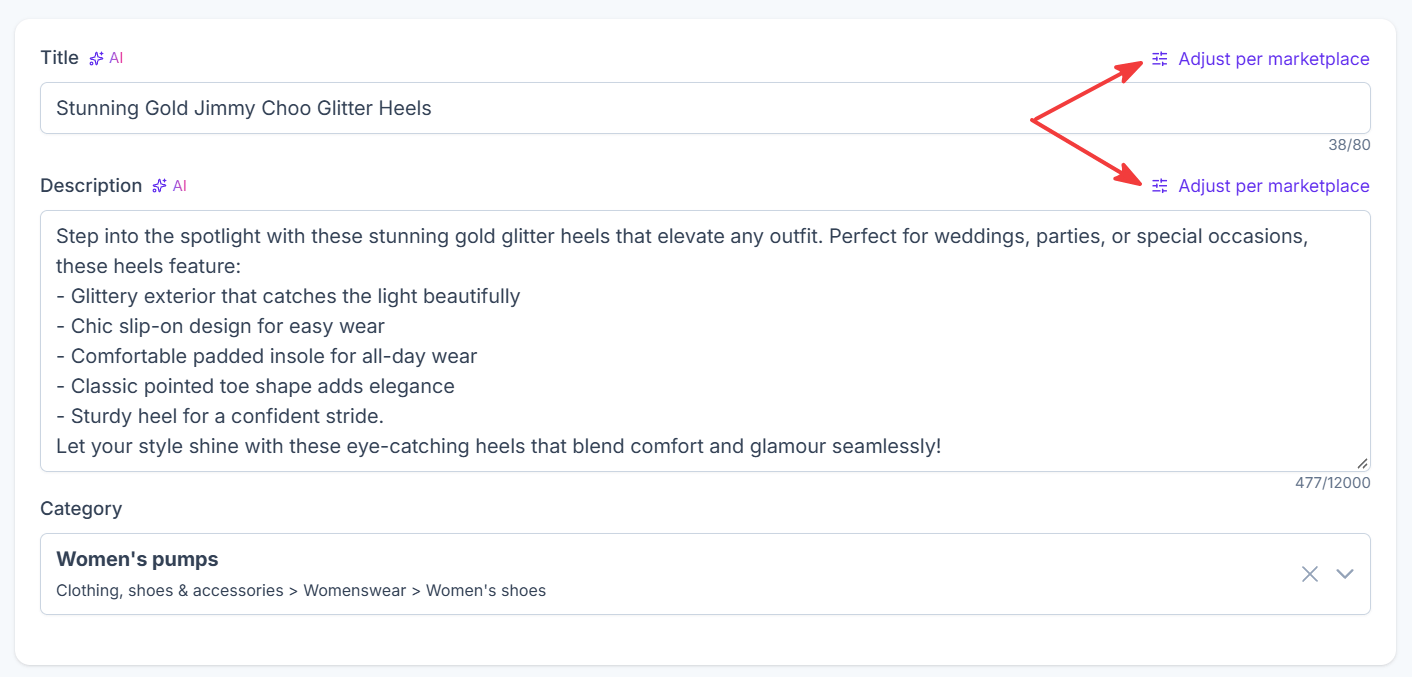
Next to the title and description fields, click Adjust per marketplace to open a dialog with individual fields for each marketplace.
Adjust titles per marketplace
Click Adjust per marketplace next to the title field.
Each field displays your default title as a placeholder, along with the maximum character limit allowed by that marketplace.
To set a custom title, simply enter a new title in the corresponding field.
Once you enter a custom title, a Custom title active label appears next to the field.
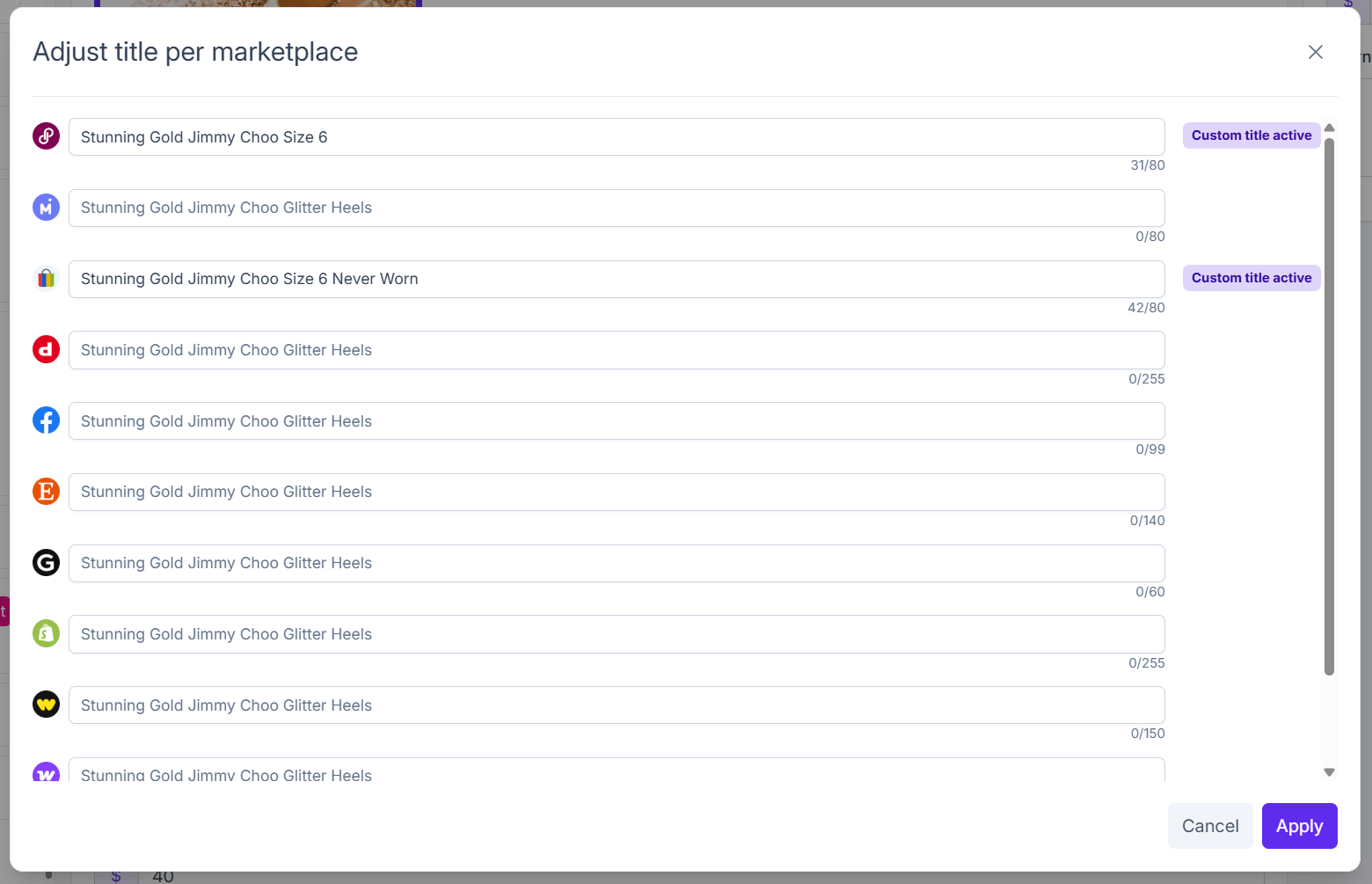
Once you're done, click Apply to save your changes.
There are two title options:
- Default title: used when no custom title is entered for a marketplace
- Custom title: overrides the default title for that specific marketplace
INFO
Each marketplace has its own title character limit. Crosslist displays these limits next to each field, so you can adjust your titles accordingly.
INFO
If you import listings from multiple marketplaces and Crosslist matches them using our matching algorithm, the imported titles may differ.
In that case, Crosslist will choose one title based on the default import order and use it as the default title. The other imported titles will automatically be saved as custom marketplace titles for their respective marketplaces.
Adjust descriptions per marketplace
You can also customize your listing descriptions for each marketplace.
Click Adjust per marketplace next to the description field.
Each field displays your default description as a placeholder, along with the maximum character limit allowed by that marketplace.
To set a custom description, enter your preferred text in the corresponding field.
Once you enter a custom description, a Custom description active label appears next to the field.
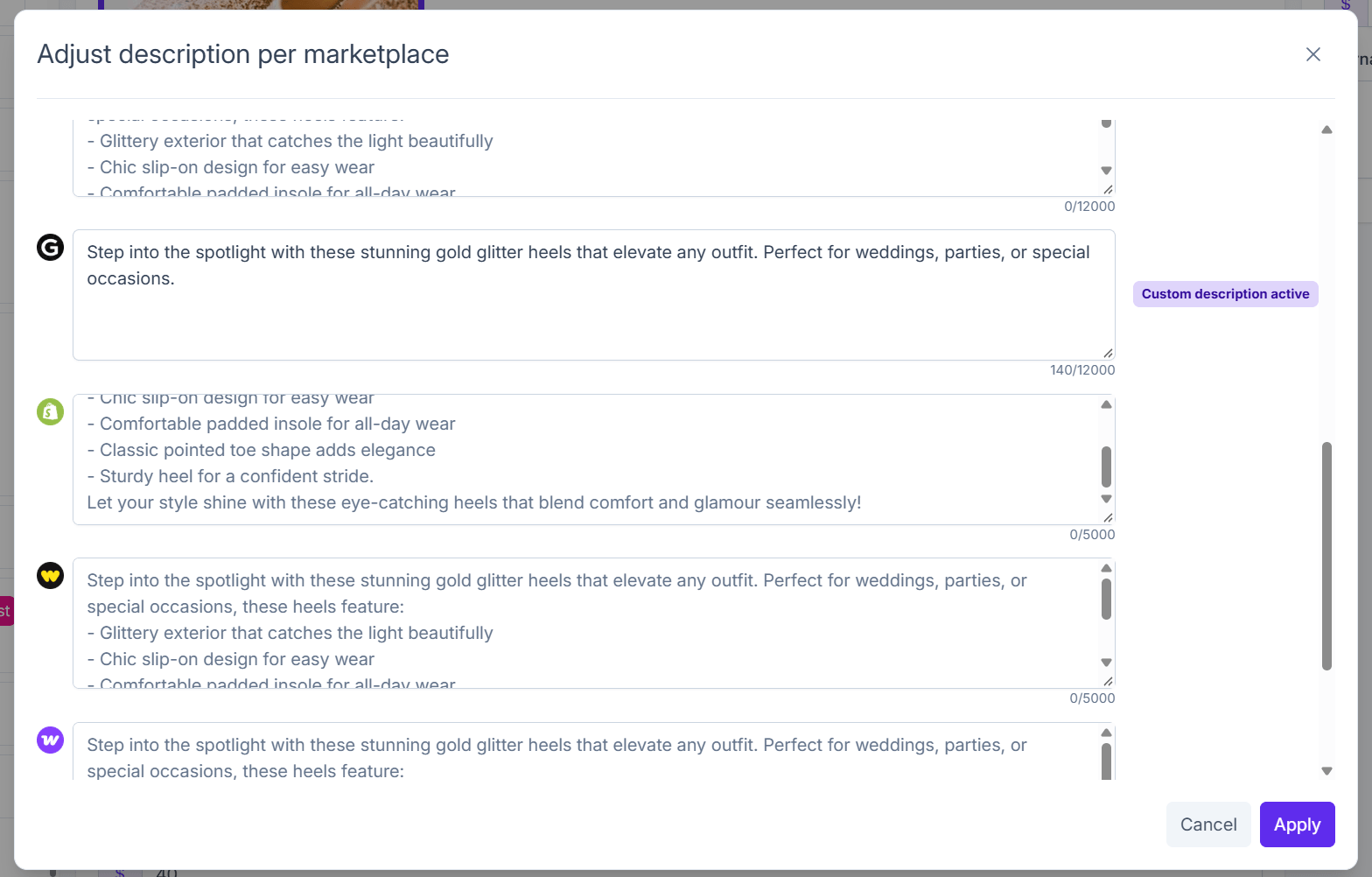
Once you're done, click Apply to save your changes.
There are two description options:
- Default description: used when no custom description is entered for a marketplace
- Custom description: overrides the default description for that specific marketplace
You can use this feature to highlight different product details, adjust your wording, or tailor your descriptions to different audiences.
INFO
You don't need to customize every marketplace. If you leave a marketplace's field empty, Crosslist will automatically use your default title or description when posting to that marketplace.
Active custom titles and descriptions
When custom marketplace titles or descriptions are set, a pink badge appears next to the Adjust per marketplace button in the listing detail form.
The number indicates how many marketplaces have an active custom title or description.
For example:
- 2 next to the title field means two marketplaces have a custom title
- 1 next to the description field means one marketplace has a custom description

This makes it easy to see at a glance which listings have marketplace-specific content.