

Appearance
Connecting eBay
Crosslist connects to eBay through eBay's official API. You log in to eBay once and approve access. No Chrome extension needed.
Before you start
Before you can use Crosslist with eBay, you need to set up your eBay return, payment, and shipping policies.
This is a mandatory step for all third-party applications that integrate with eBay's official API, even for personal accounts.
Setting up your policies only takes a few minutes.
Set up your eBay business policies →
How to connect
- Go to Account > Marketplaces.
- Next to eBay, click Connect your eBay account.
- Log in to eBay with Google, Apple, Facebook, or your email.
- You should now see the eBay authorization screen.
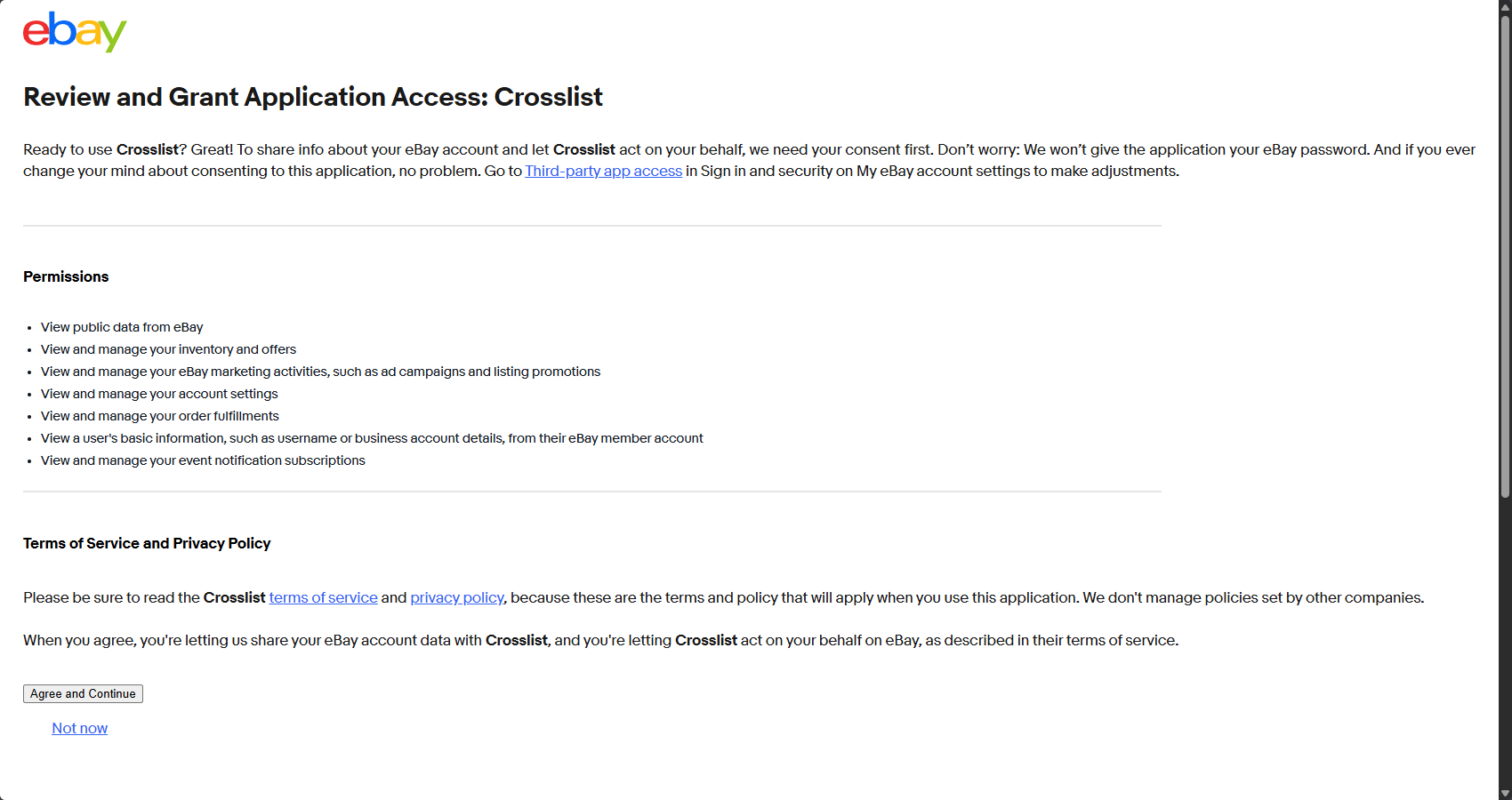
- Click Agree and Continue. Your eBay account is now connected and you will be redirected to Crosslist automatically.
Common issues and fixes
eBay says my business policies are missing
Set up all three business policies in eBay, then post again.
Already created all three and still getting this message?
Then the issue always comes down to one of two causes:
Cause 1: a different eBay account or region is connected
Go to Account > Marketplaces and check which eBay account is connected:
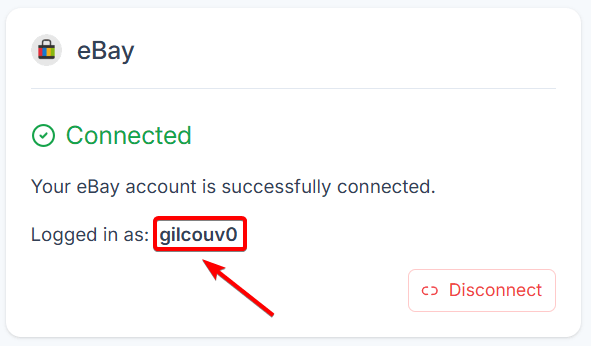
Then log in to eBay and hover over your name at the top left (Hi, X) to see your eBay ID:
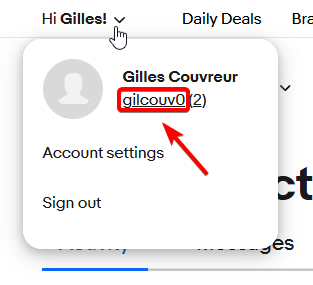
If the IDs don't match, connect the correct eBay account.
If the IDs match, check that the eBay region in your Crosslist region settings matches the site where you created your policies (.com, .co.uk, .ca or .com.au):
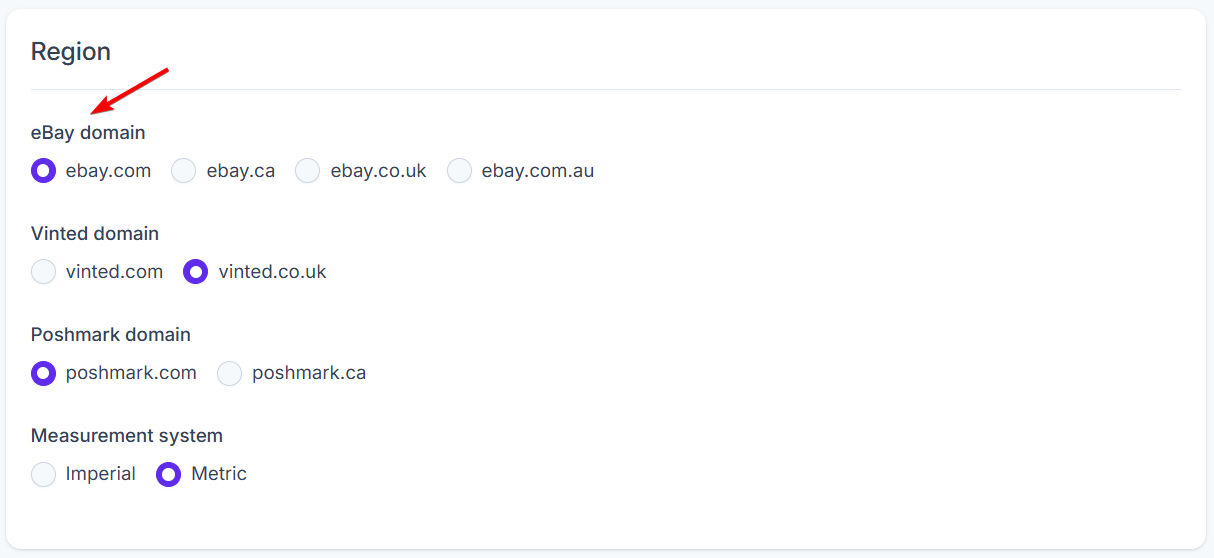

If the regions don't match, select the correct one, click Save and post again.
Cause 2: Crosslist uses a different policy than you expect
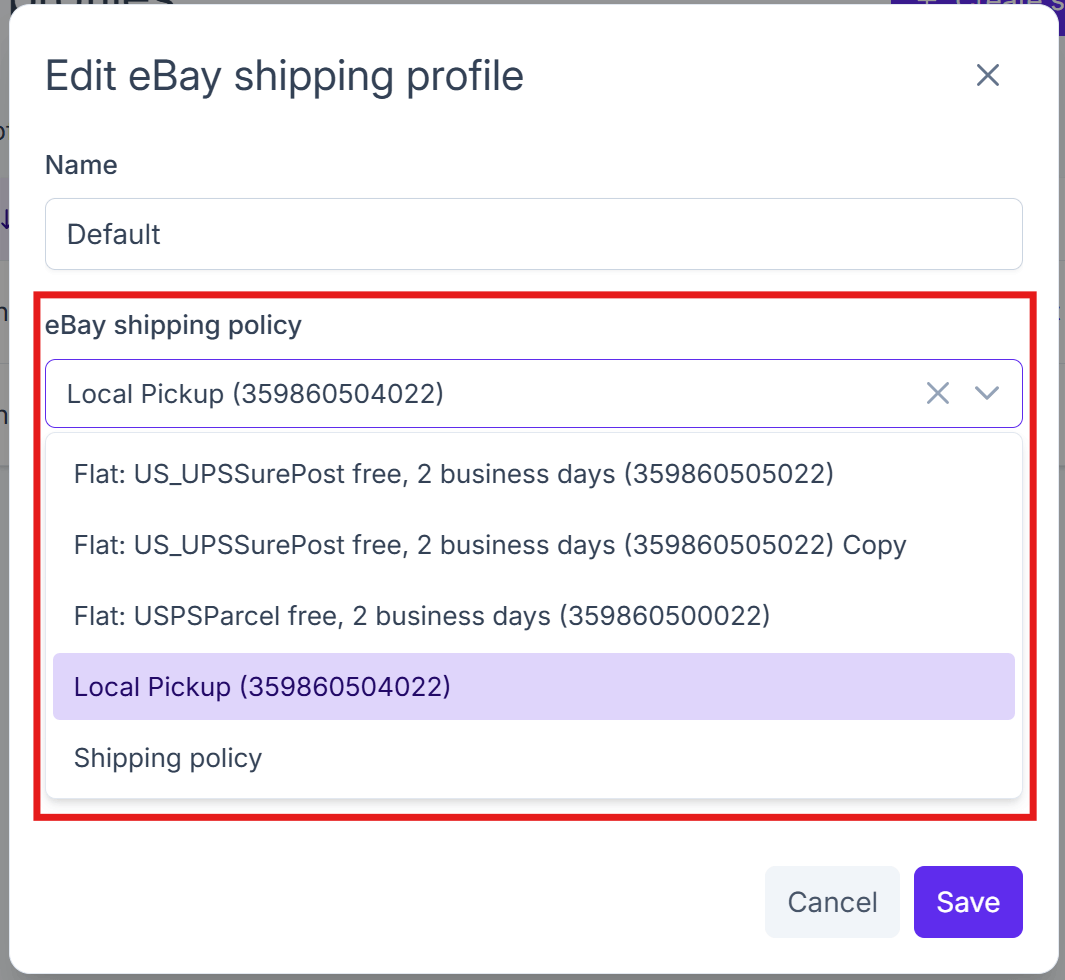
Crosslist uses the alphabetically first policy of each type. An old or incomplete policy higher up the list can be picked instead of the one you meant.
Go to your Crosslist shipping profile for eBay and select the right policy:
Crosslist can't find my selected eBay policy
The policy selected in your Crosslist shipping profile was deleted or renamed in eBay.
Select another one in your Crosslist shipping profile for eBay:
eBay asks me to complete my account information
eBay needs extra seller details before your listing can go live, such as payout information or identity verification.
Complete them in eBay's seller registration for your region:
Then post through Crosslist again.
I connected the wrong eBay account
eBay remembers the connected account in your browser, so switching takes a few extra steps:
- Go to Account > Marketplaces.
- Click Disconnect next to eBay.
- Go to eBay and log out of all eBay accounts.
- Clear your browser cache:
- In Chrome, click the three dots at the top right.
- Go to Delete browsing data.
- Select All time as the time range.
- Check Cookies and other site data and Cached images and files.
- Click Delete data.
- Return to your Marketplaces page and click Log in to your eBay account.
- Log in with the correct eBay account and approve the connection.