

Appearance
Connecting Etsy
Crosslist connects to Etsy through Etsy's official API. You log in to Etsy once and allow access. No Chrome extension needed.
Before you start
Before you can use Crosslist with Etsy, you need an open Etsy shop that isn't in vacation mode.
Don't have one yet? Open your Etsy shop first. Etsy asks for your payment and billing details during shop setup.
You also need at least one shipping profile, one processing profile, and one return and exchange policy.
Set up your Etsy profiles and policies →
How to connect
- Go to Account > Marketplaces.
- Next to Etsy, click Connect your Etsy account.
- Log in to Etsy with Google, Apple, Facebook, or your email.
- You should now see the Etsy authorization screen.
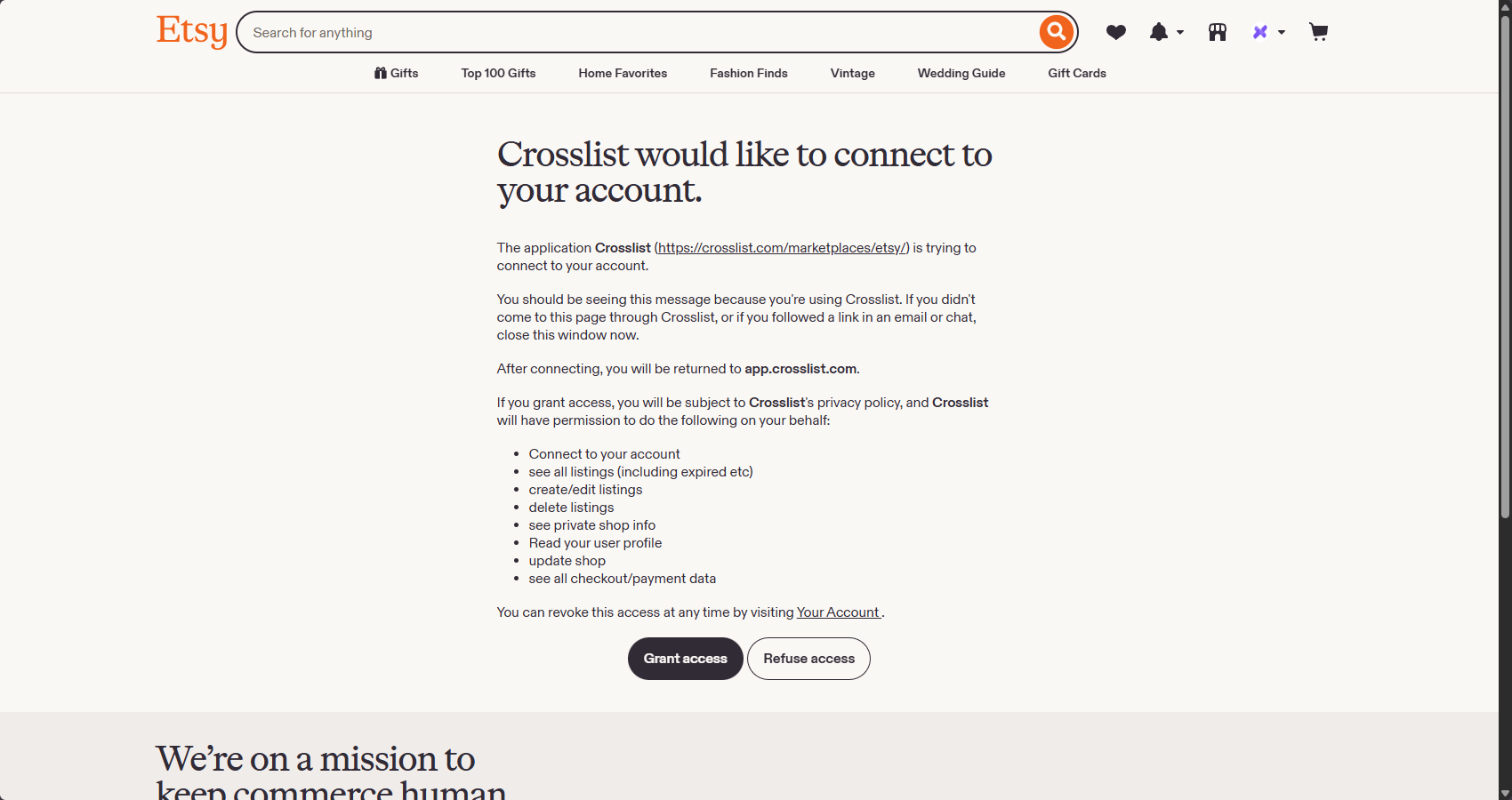
- Click Grant access. Your Etsy account is now connected and you will be redirected to Crosslist automatically.
Common issues and fixes
Etsy says I don't have a shop yet
Crosslist can only post to an Etsy account with an open shop.
Finish opening your Etsy shop, including your payment and billing details, then post again.
Etsy says my processing profile, shipping profile or return and exchange policy is missing
Etsy needs at least one processing profile, one shipping profile and one return and exchange policy before Crosslist can list on Etsy. Create whichever one is missing:
- Processing profile: create a processing profile in Etsy.
- Shipping profile: create a shipping profile in Etsy.
- Return and exchange policy: create a return and exchange policy in Etsy.
Then post through Crosslist again.
My Etsy shop is in vacation mode
Etsy doesn't accept new listings while vacation mode is on. In your Etsy Shop Manager, go to Settings > Vacation Mode and turn it off.
I connected the wrong Etsy shop
- Go to Account > Marketplaces and click Disconnect next to Etsy.
- Go to Etsy and log out.
- Log in to Etsy with the account of the correct shop.
- Return to your Marketplaces page and click Log in to your Etsy account to connect again.