

Appearance
Connecting TikTok Shop
Crosslist connects to eBay through TikTok Shop's official API. You log in to eBay once and approve access. No Chrome extension needed.
Before you start
Before you can use Crosslist with TikTok Shop, you need:
- A local TikTok Shop in the US or UK. Cross-border shops are not supported.
- An active pickup warehouse in TikTok Shop Seller Center, at the same ZIP code or postcode as the shipping address in your Crosslist account.
Set up your TikTok Shop warehouse →
How to connect
- Go to Account > Marketplaces.
- Next to TikTok Shop, click Connect your TikTok Shop account.
- TikTok Shop Seller Center opens. Check that the right shop is selected under Authorized shop, then click Install.
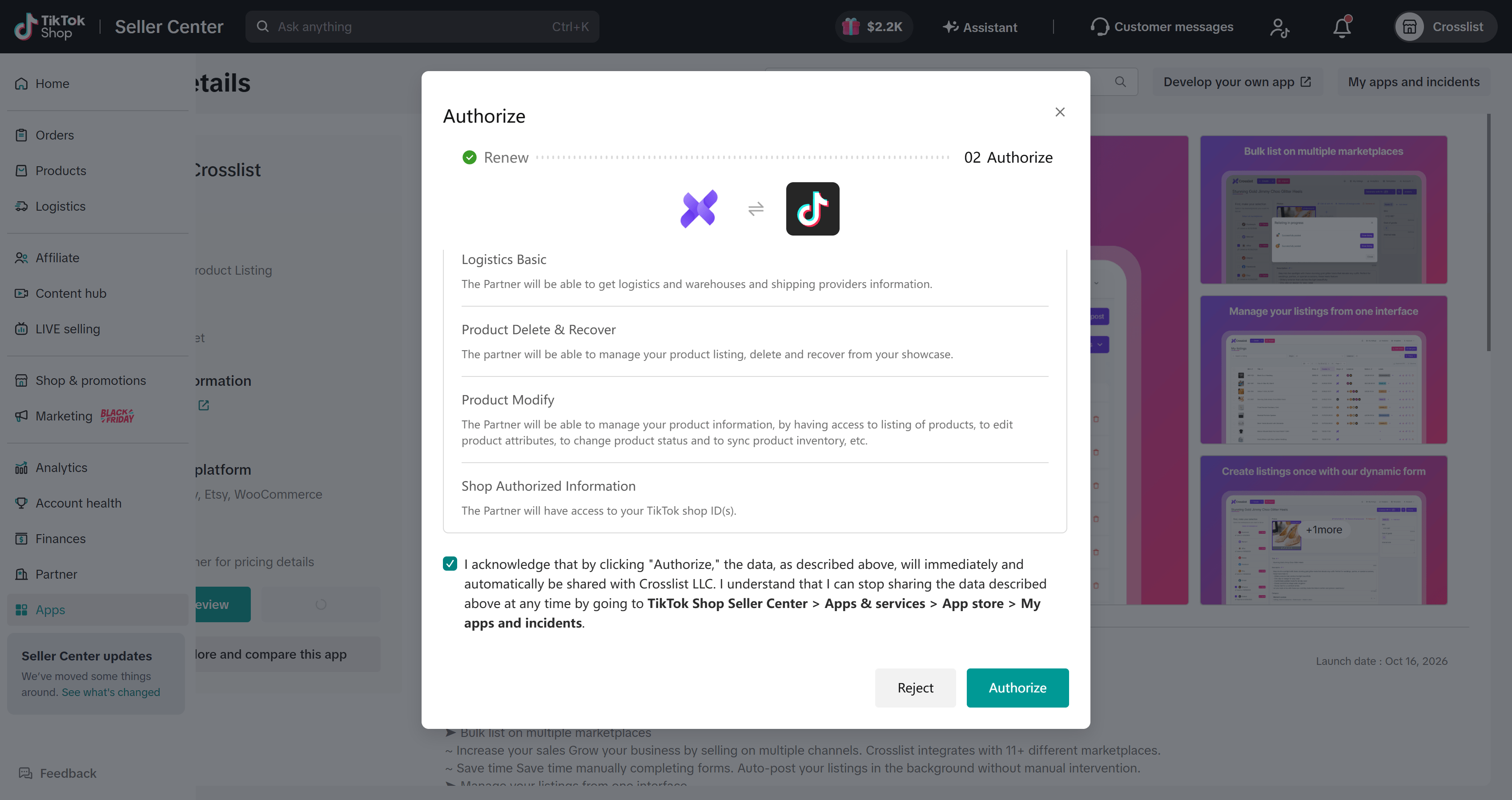
- Review the permissions Crosslist asks for, check the acknowledgement box and click Authorize.
- Click Open. Your TikTok Shop is now connected and you will be redirected to the Marketplaces page in Crosslist.