

Appearance
TikTok Shop
TikTok Shop handles shipping in TikTok Shop Seller Center, so you don't choose a shipping method in Crosslist.
When you post a listing, Crosslist automatically uses your TikTok Shop warehouse whose ZIP code or postcode matches the address in your Crosslist account.
INFO
TikTok Shop is available for sellers in the US and UK.
Adding a warehouse in TikTok Shop
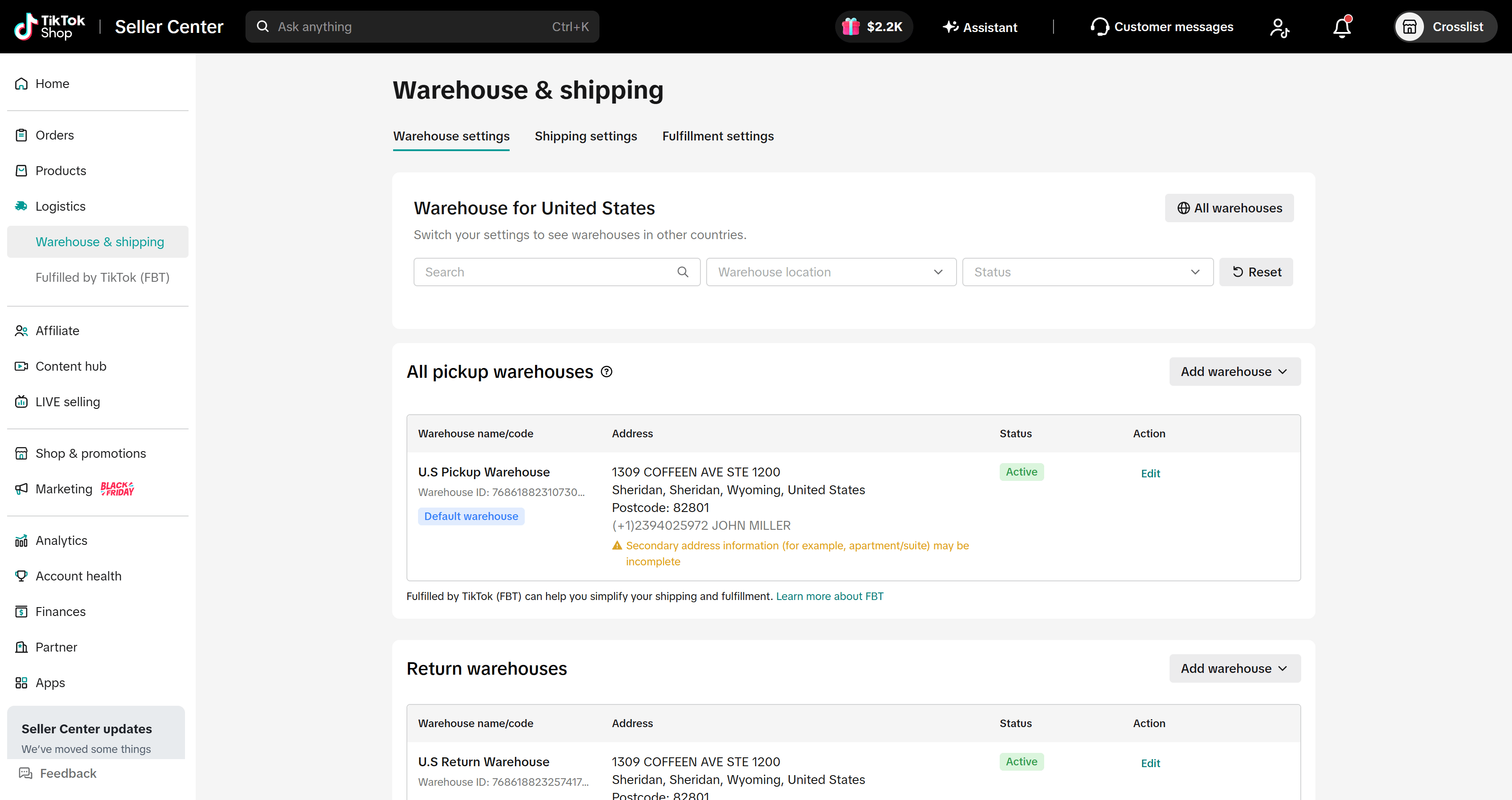
Before listing to TikTok Shop through Crosslist, add a warehouse in TikTok Shop Seller Center:
- In the menu on the left, click Logistics > Warehouse & shipping.
- In the Warehouse settings tab, go to All pickup warehouses and click Add warehouse.
- Fill in the warehouse name, contact person, phone number and full address.
- Save the warehouse and check that its status is Active.
WARNING
Crosslist can only post to TikTok Shop if you have a warehouse that is:
- A pickup warehouse, not a return warehouse
- Active
- At the same ZIP code or postal code as the shipping address in your Crosslist account settings
If no warehouse matches all three, your listings can't be posted to TikTok Shop.
(Optional) Setting fallback weight and dimensions
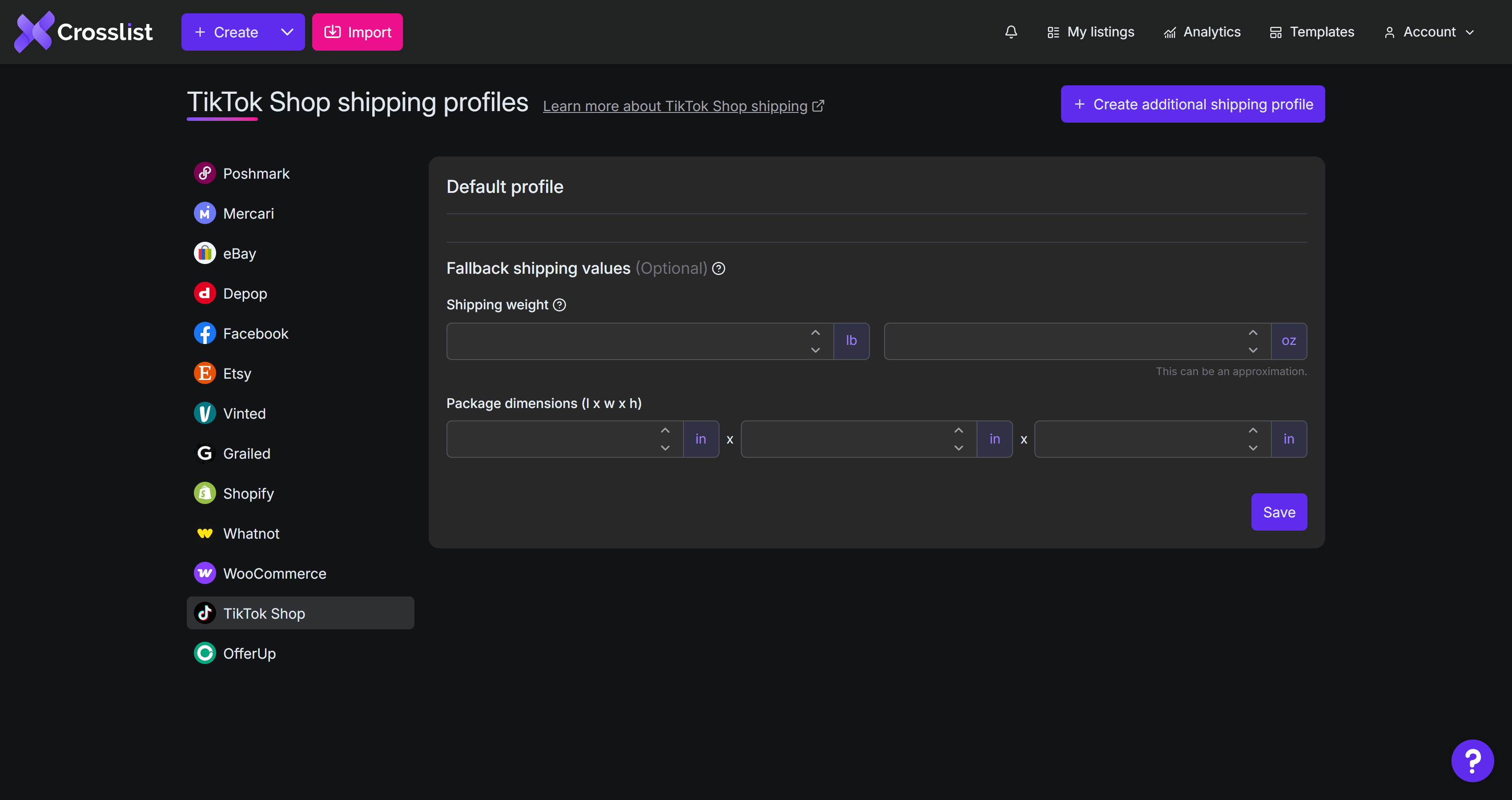
In your Crosslist shipping profile for TikTok Shop, you can set a fallback shipping weight and package dimensions (length, width and height) under Fallback shipping values.
Crosslist uses them when you leave these fields empty in the listing form. All fallback values are optional.
INFO
Values entered directly in the listing form always override your fallback values for that listing.