

Appearance
Etsy
Etsy lets you configure your shipping, payment, and return preferences in advance through its shipping & processing profiles and return and exchange policies.
Before listing to Etsy through Crosslist, you need to create at least one shipping shipping profile, one processing profile, and one return and exchange policy.
Creating your profiles and policies
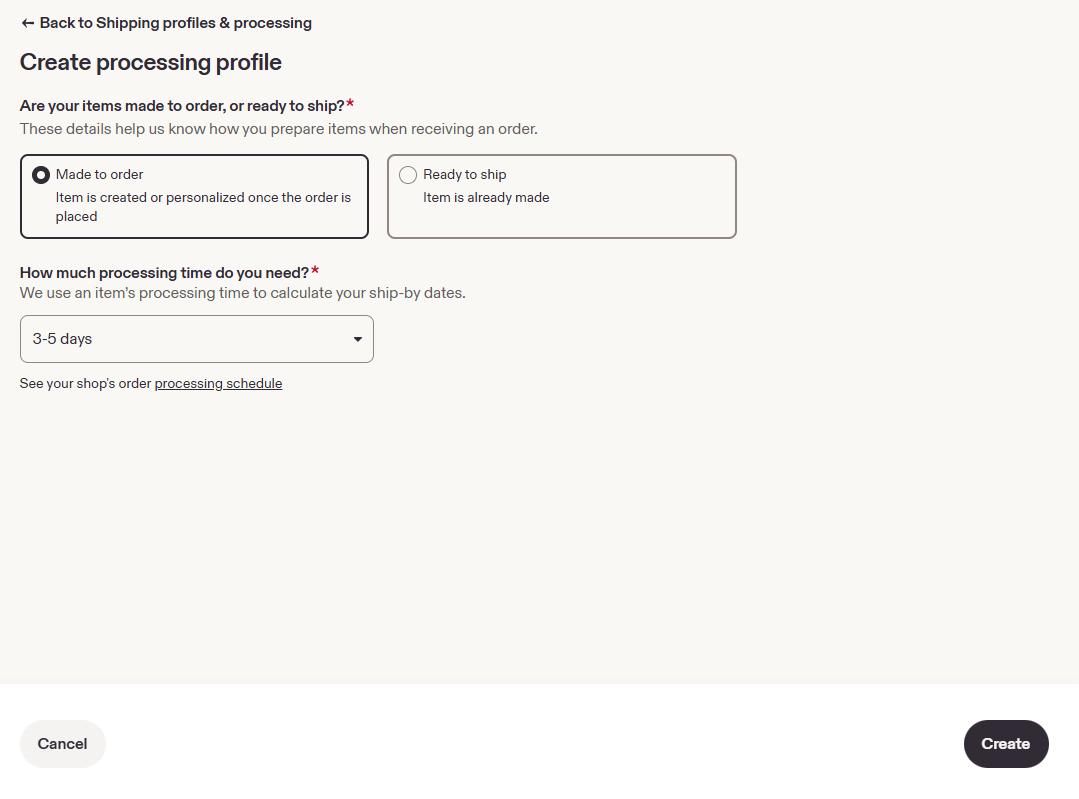
Creating a processing profile in Etsy
Etsy uses processing profiles to tell buyers how long it takes before you ship an order.
- Go to create a processing profile in Etsy.
- Choose whether your items are Ready to ship or Made to order, and select a processing time.
- Save the profile.
Creating a shipping profile in Etsy
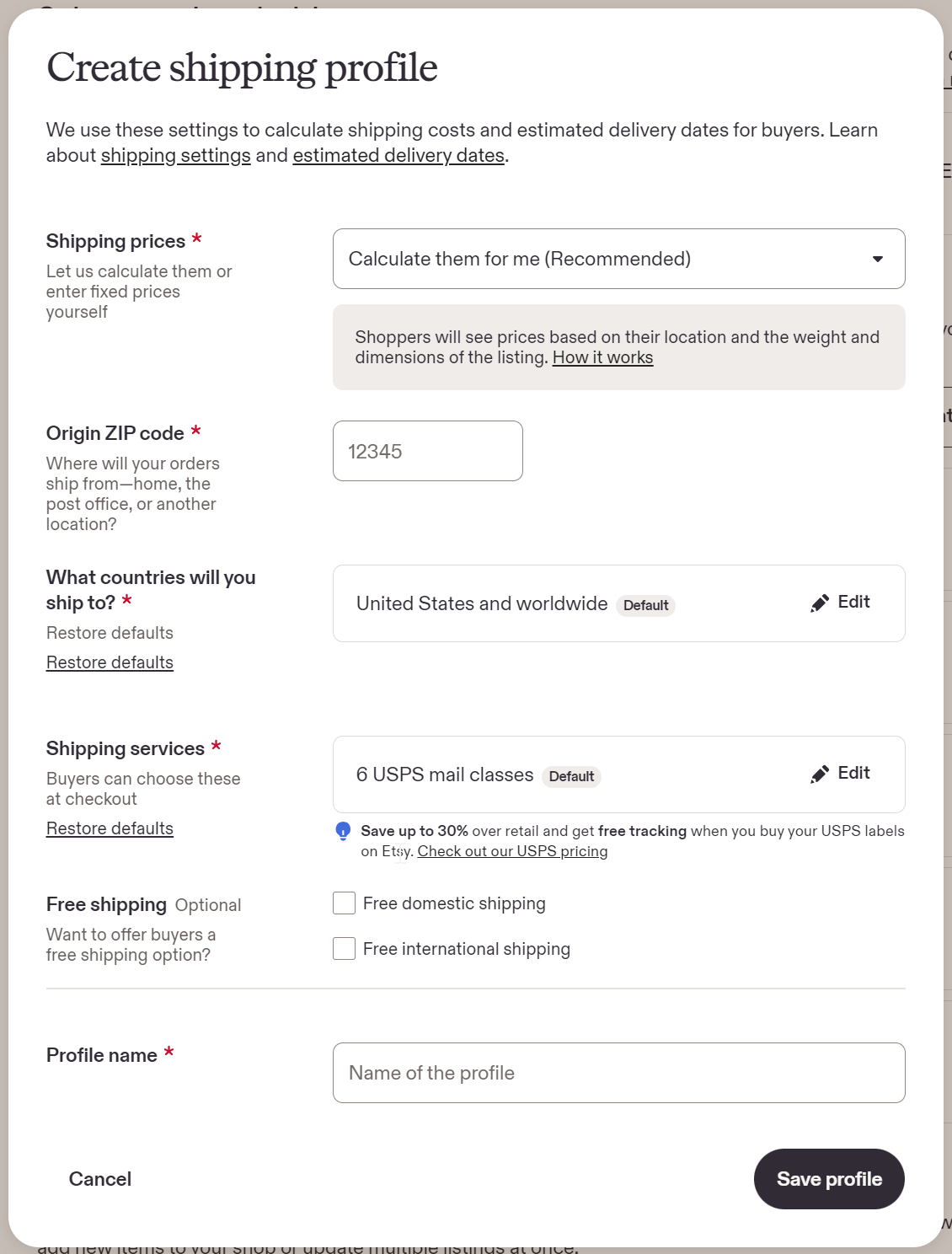
Your Etsy shipping profile sets where you ship from, which countries you ship to, and what buyers pay for shipping.
- Go to your Etsy shipping profiles.
- Under Shipping prices, choose:
- Calculate them for me: Etsy automatically calculates shipping costs based on the buyer's location and the package's weight and dimensions.
- I'll enter fixed prices manually: You set your own shipping rates for domestic and international buyers, including the option to offer free shipping.
- Enter your Origin ZIP/postal code (where you ship from).
- Choose the countries you ship to and the shipping services buyers can pick.
- Optional: Offer Free shipping.
- Enter a Profile name and click Save profile.
INFO
Calculated shipping is only available in the US and Canada. Sellers in the UK and Australia must use fixed-price shipping.
Creating a return and exchange policy in Etsy
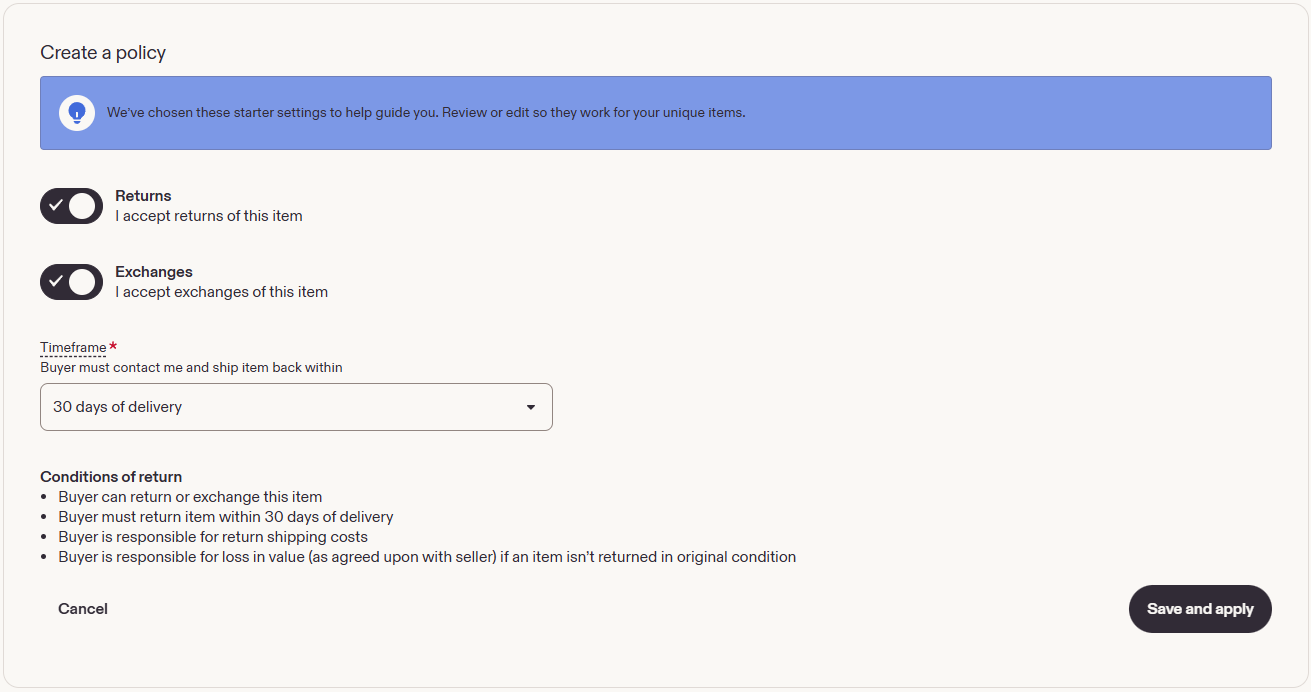
Etsy uses return and exchange policies to tell buyers whether they can return or exchange an item.
- Go to your Etsy shop policies and click Create policy.
- Choose whether you accept returns, exchanges or both, and select a return window. You can also choose not to accept returns.
- Save the policy.
WARNING
Crosslist needs at least one return policy in your Etsy account to list to Etsy, even if it says you don't accept returns.
Depending on your country, you may be legally required to accept returns.
(Optional) Choosing your Etsy profiles and policies in Crosslist
INFO
Only relevant if you have more than one policy of a type in Etsy and want to choose which one Crosslist uses. Have just one return, payment and shipping policy? Skip this section.
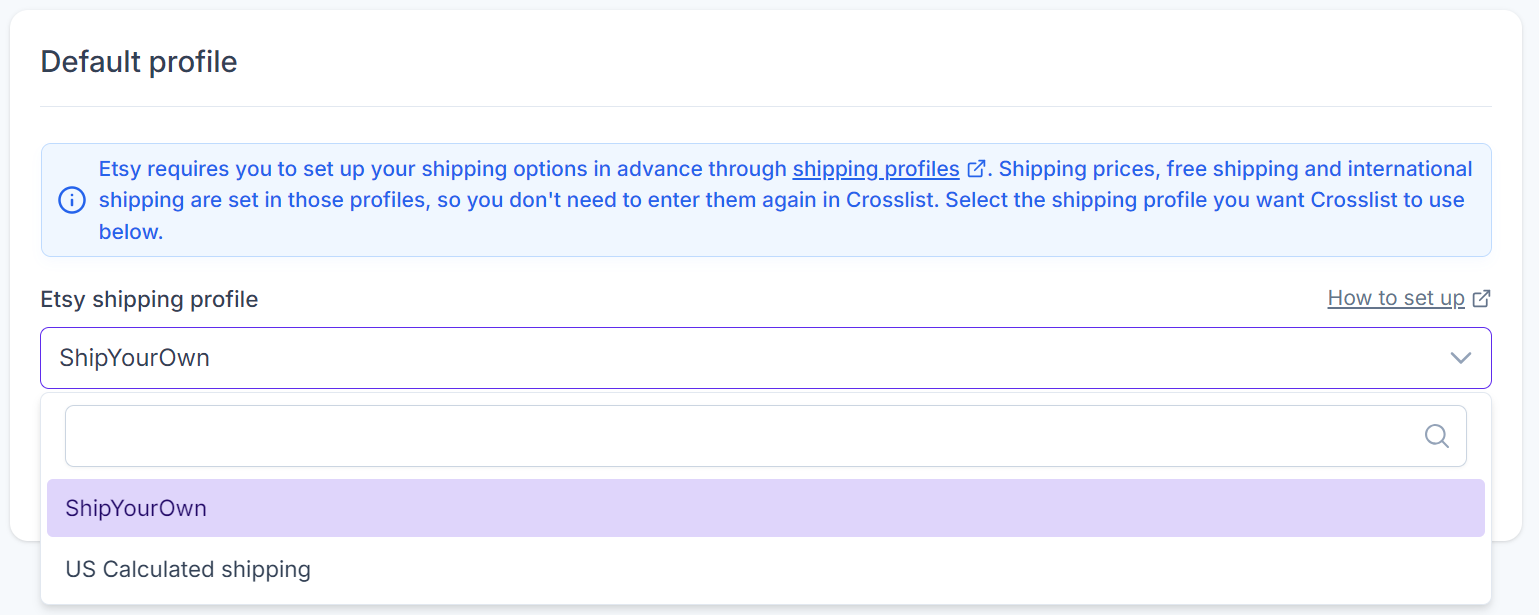
By default, Crosslist uses the policy that comes alphabetically first from your list of Etsy business policies.
You can change this default behavior by selecting different policies in your Crosslist shipping profile for Etsy:
INFO
Does a dropdown show No options available? Then you haven't created that policy in eBay yet.
Weight and dimensions
If you've selected a calculated shipping profile, you'll need to enter the package's weight and dimensions in the Crosslist listing form. Etsy uses these values to calculate shipping costs.

INFO
You can also set fallback weight and dimensions in your Crosslist shipping profile for Etsy. Crosslist uses them when you leave these fields empty in the listing form.
If you're using fixed-price shipping, there's no need to enter shipping prices in Crosslist, since these are already configured in Etsy.